
A gaming computer with a powerful graphics card can deliver an excellent experience, but storage capacity is just as important as performance when planning a high-end setup. Modern games feature detailed graphics, large maps, high-resolution textures, and frequent updates that can take up considerable drive space. This raises an important question for gamers building a premium PC: is a 1TB SSD enough to support their gaming needs? 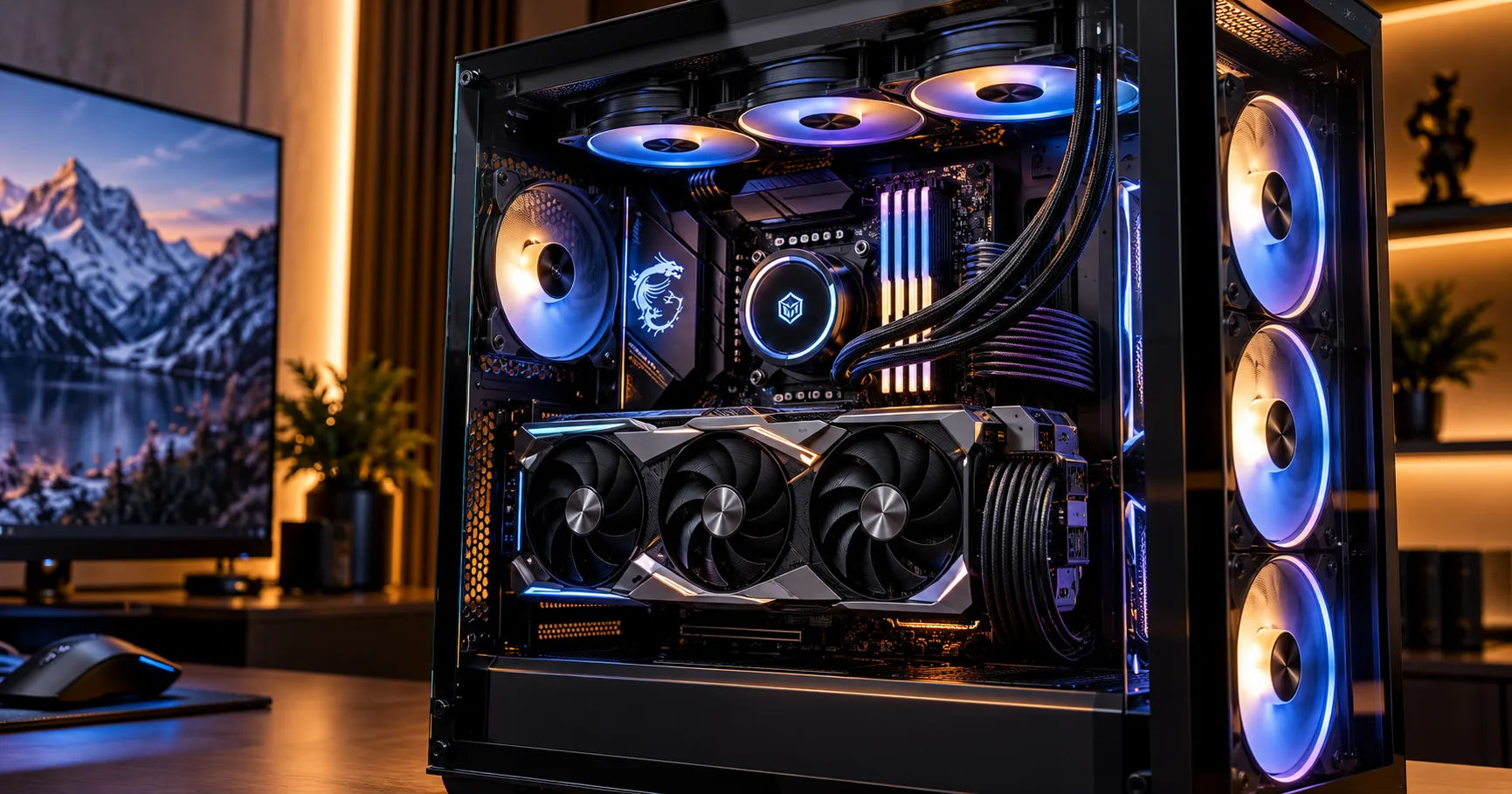 For many players, the answer is yes, but it depends on the games they play, the number of titles they want installed, and whether they use their computer for other demanding tasks. A 1TB drive can provide fast loading times and enough room for a carefully managed game library. However, players who install many large games simultaneously may find themselves running out of space sooner than expected.
When choosing a gaming pc rtx 5080, storage planning deserves particular attention because a high-performance graphics card is often paired with a powerful processor, plenty of memory, and a high-resolution monitor. These components make it possible to enjoy demanding games at impressive settings, but they do not eliminate the need for sufficient storage. Understanding how much space modern games require will help you decide whether 1TB is the right choice or whether a larger SSD would be a better long-term investment.
What a 1TB SSD Actually Provides
An SSD, or solid-state drive, stores your operating system, games, applications, and personal files. Unlike traditional hard drives, SSDs use flash memory and have no moving mechanical parts. This allows them to access data quickly, helping games launch faster and reducing loading times in many situations.
A 1TB SSD sounds enormous at first. However, its usable capacity is lower than the advertised figure.
Manufacturers typically measure storage using decimal units, meaning 1TB represents approximately one trillion bytes. Operating systems may display the capacity using binary units, so a new 1TB drive often appears as roughly 931 GiB before accounting for formatting and other system requirements.
You also need to reserve space for Windows, drivers, applications, temporary files, and game launchers.
How Much Space Is Available for Games?
Consider a typical gaming setup with a fresh 1TB SSD.
|
Storage requirement |
Approximate space |
|---|---|
|
Total advertised capacity |
1TB |
|
Capacity shown by the operating system |
About 931 GiB |
|
Windows and essential applications |
40–80 GiB |
|
Launchers, utilities, and miscellaneous files |
10–30 GiB |
|
Sensible free-space allowance |
80–120 GiB |
|
Potential space for installed games |
About 700–800 GiB |
These figures are estimates, not fixed requirements. Your actual available capacity depends on your operating system, installed software, and preferred amount of free space.
The key point is that you should not plan to fill every available gigabyte with games. Keeping some space free makes it easier to install updates, download new titles, and manage temporary files.
How Much Storage Do Modern PC Games Need?
Game sizes vary considerably. Independent games may occupy only a few gigabytes, while major releases with detailed environments, high-resolution textures, and extensive audio can require well over 100GB.
Some large games approach or exceed 150GB, particularly when optional content, high-resolution texture packages, and additional modes are installed.
The following examples illustrate how game sizes can affect your storage planning. Actual requirements change with updates, downloadable content, and platform versions.
Small and Medium-Sized Games
Many indie games, competitive titles, and older releases require relatively little storage.
Examples include smaller platformers, strategy games, and classic role-playing games. Depending on the title, these may use anywhere from a few gigabytes to around 30GB.
If you mainly play games in this category, a 1TB SSD can accommodate a substantial library. You could install numerous smaller games without worrying about storage every week.
Competitive games vary in size, however. A familiar multiplayer title may become considerably larger after years of updates, so it is worth checking its current requirements before making assumptions.
Large AAA Games
Modern AAA games are much more demanding when it comes to storage.
A large open-world game may require 80–120GB, while some releases with expansive environments and high-resolution assets can need 150GB or more.
For example, installing five games that each require 120GB would consume 600GB. Adding Windows, applications, and other games would leave a limited amount of free space.
This is why a 1TB SSD can feel spacious when you first build your computer but restrictive after several months of downloading new releases.
Games With Large Updates and Downloadable Content
The initial installation size does not always tell the complete story.
Games regularly receive patches, seasonal updates, expansion packs, and new content. Some updates require additional temporary space while files are downloaded, unpacked, and replaced.
You might have enough room for a game's final installed size but insufficient room to complete its update comfortably.
For this reason, storage planning should consider both permanent installation sizes and the temporary space required during maintenance.
Does an RTX 5080 Require More Storage?
The RTX 5080 is a high-end graphics card designed for demanding gaming workloads, including high-resolution gaming and advanced ray tracing. However, the GPU itself does not automatically require a larger SSD.
A graphics card primarily determines how games are rendered, while the SSD stores game files and other data.
Nevertheless, a powerful graphics card can influence how you use your gaming PC.
High-Resolution Textures and Graphics Settings
Players with high-end graphics cards may choose games with detailed textures, advanced graphical settings, and optional high-resolution asset packages.
Some games offer separate texture downloads or larger asset packages that increase storage requirements. Installing these features can make a game look better, but they may consume additional space.
Not every game increases its installation size when you raise graphical settings. Many graphics options change rendering behavior without downloading additional assets.
The important distinction is that your GPU does not directly increase storage needs, but the games and optional content you choose to enjoy on a premium setup may do so.
Large Games for 4K Gaming
A powerful GPU makes 4K gaming more practical, especially when combined with a suitable processor and display. However, 4K resolution does not automatically mean every game needs substantially more disk space.
The storage impact depends on how each game handles textures, assets, and optional content.
If you want to install several demanding games optimized for high-resolution play, a larger SSD can still be useful. It gives you more flexibility to keep your favorite titles installed without repeatedly uninstalling older ones.
Is a 1TB SSD Enough for Different Types of Gamers?
Whether 1TB is sufficient depends more on your gaming habits than on the graphics card installed in your PC.
Casual Gamers
For casual gamers who play a few titles at a time, 1TB is usually enough.
You might keep two large games, several smaller games, and everyday applications installed simultaneously. If you finish a single-player game before moving to another, you can uninstall completed titles and reclaim storage.
This approach makes a 1TB SSD a sensible option without requiring an expensive upgrade.
Competitive and Multiplayer Gamers
Players who focus on a handful of competitive games can also benefit from a 1TB SSD.
You may regularly play a few multiplayer titles alongside one or two single-player games. If the combined installation sizes remain reasonable, you should have sufficient room for updates and additional software.
However, players who participate in several competitive games with large content libraries should check their actual installation sizes. Multiplayer titles can grow substantially over time.
Enthusiast Gamers With Large Libraries
Enthusiasts often maintain a collection of games that includes recent AAA releases, older favorites, racing simulators, role-playing games, and multiplayer titles.
For these users, 1TB can become restrictive.
Imagine wanting to keep eight large games installed, with each averaging 100GB. That library alone would consume 800GB, leaving limited room for the operating system, applications, and future updates.
A 2TB SSD would provide considerably more flexibility, particularly if you prefer switching between games without waiting for downloads.
Streamers and Content Creators
If you stream gameplay, record footage, edit videos, or create gaming content, storage needs increase significantly.
High-quality recordings can consume tens of gigabytes or more, depending on recording duration, resolution, frame rate, and bitrate. Editing software may also generate cache files and temporary media.
In this situation, 1TB can still work as a primary drive, but you may need a secondary SSD or a larger dedicated storage drive for recordings and completed projects.
1TB vs. 2TB vs. 4TB SSD for a Gaming PC RTX 5080
Choosing the right capacity can help you balance cost, convenience, and future flexibility.
|
SSD capacity |
Best suited for |
Main advantage |
Main limitation |
|---|---|---|---|
|
1TB |
Casual and selective gamers |
Lower initial cost |
Limited room for many large games |
|
2TB |
Enthusiasts and regular AAA gamers |
Better balance of space and cost |
May still fill up with a very large library |
|
4TB |
Large libraries and content creators |
Extensive storage capacity |
Higher purchase cost |
When 1TB Makes Sense
A 1TB SSD is a good option when you want to keep your initial PC budget under control.
If most of your budget goes toward the graphics card, processor, power supply, and cooling, choosing a smaller SSD initially can help you avoid unnecessary spending.
This is particularly reasonable if your motherboard supports additional M.2 SSDs and you can upgrade later.
You can start with 1TB, monitor your actual storage use, and add more capacity when needed.
Why 2TB Is Often the Better Choice
For many high-end gaming systems, 2TB offers a comfortable middle ground.
It allows you to maintain a larger collection of games while preserving room for updates and everyday software. You also spend less time deciding which titles to uninstall.
If you are already investing in a premium graphics card, the convenience of additional storage may justify the extra cost.
Compare the prices of reputable 1TB and 2TB drives before buying. If the larger model offers good value per terabyte, it may be the more practical long-term purchase.
When 4TB Is Worth Considering
A 4TB SSD is useful if you want a very large game library, keep numerous AAA games installed, or regularly work with video files.
It can also suit users who want one large, fast storage drive rather than managing multiple smaller drives.
However, not every gamer needs this much capacity. If you only play three or four games regularly, paying for 4TB may provide little practical benefit.
Does SSD Speed Matter More Than Capacity?
Capacity determines how many games and files you can store, while speed affects how quickly the drive can access data.
Both matter, but the right balance depends on your needs.
SATA SSD vs. NVMe SSD
SATA SSDs are considerably faster than traditional mechanical hard drives for many everyday tasks, but NVMe SSDs connected through PCIe can deliver much higher sequential transfer speeds.
For a modern high-performance gaming computer, an NVMe SSD is generally a sensible choice.
A PCIe 4.0 NVMe drive already offers excellent performance for gaming. PCIe 5.0 drives can provide higher theoretical transfer speeds, but those speeds do not translate into equally large improvements in every game.
In many cases, the difference between a good PCIe 4.0 drive and a high-end PCIe 5.0 drive is less noticeable during gameplay than their headline specifications suggest.
Will a Faster SSD Increase FPS?
An SSD upgrade usually does not produce a major increase in average frame rates by itself.
The GPU, CPU, game engine, and graphics settings have a much greater influence on rendering performance.
A fast SSD can improve loading times, asset streaming, and overall responsiveness in supported situations. It may also help reduce certain delays when games load large amounts of data.
For a gaming pc rtx 5080, prioritize a reliable SSD with suitable capacity rather than buying the most expensive drive purely for its advertised speed.
How to Manage a 1TB SSD Effectively
If you decide that 1TB is sufficient, a few simple habits can help you make the most of it.
Keep Your Most-Played Games Installed
Prioritize the games you play regularly.
Keep your favorite multiplayer titles, current single-player campaign, and frequently used applications installed. Remove games you have completed or no longer play.
This reduces clutter without affecting the performance of your graphics card.
Use a Second Drive for Additional Games
Many gaming motherboards support multiple M.2 SSDs. Check your motherboard's specifications to confirm the available slots, supported drive sizes, and any installation restrictions.
You can use a second SSD for games you play less frequently, recordings, or other files.
For example, a 1TB NVMe SSD can hold Windows and frequently played games, while a secondary 2TB drive stores a larger game collection.
This arrangement can be more convenient than repeatedly uninstalling and reinstalling games.
Move Media Files Away From Your Gaming Drive
Screenshots, recordings, downloaded videos, and archived files can consume space quickly.
If you create content, consider storing older recordings on a separate SSD or a suitable high-capacity hard drive.
A hard drive is often sufficient for long-term storage, although an SSD may be preferable when you frequently access large files.
Always keep backups of important content, regardless of the drive type.
Monitor Storage Before Installing Large Games
Check the available capacity before downloading a new release or major update.
Try to maintain a reasonable amount of free space instead of allowing the drive to remain nearly full. The exact amount required depends on the games and applications you use.
Windows Storage settings can help you identify large files, remove temporary data, and see which applications consume the most space.
Avoid deleting unfamiliar system files simply to reclaim a few gigabytes.
What Should You Look for When Buying an SSD?
Before purchasing an SSD for your gaming PC, consider more than its capacity.
Reliability and Warranty
Choose a reputable manufacturer and review the drive's warranty, endurance rating, and support policy.
SSD endurance is commonly expressed in terabytes written, or TBW. This indicates the amount of data that can be written over the drive's rated lifespan under the manufacturer's terms.
Most ordinary gaming workloads do not require an unusually high endurance rating, but reliability still matters.
Motherboard Compatibility
Check which SSD formats and interfaces your motherboard supports.
An M.2 drive can use different interfaces, including SATA or NVMe, so the physical shape alone does not guarantee compatibility. Also consider whether the motherboard has an available slot and whether installing a drive affects another connector or expansion slot.
For a premium PC, a compatible NVMe SSD is often a straightforward choice.
Cooling and Thermal Performance
Some high-performance NVMe SSDs can become hot during sustained transfers.
Motherboards often include M.2 heatsinks, and these can help manage temperatures. Gaming typically places a different workload on an SSD than long, continuous file transfers, so cooling requirements vary by drive.
A reliable SSD operating within its specified temperature range is more important than purchasing a model with the highest advertised speed.
Is It Better to Upgrade Storage Later?
Starting with a 1TB SSD and upgrading later can be a reasonable strategy, especially if you are building your first high-end gaming PC.
Storage upgrades are often simpler than replacing a graphics card or processor. If your motherboard has an available M.2 slot, adding a second drive may require little more than checking compatibility, installing the drive, and configuring it in your operating system.
However, upgrading later is not always the cheapest option. A larger drive purchased initially may offer better value, and adding storage can require reinstalling games or moving files.
Before deciding, compare the total cost of a 1TB SSD plus a future upgrade against the price of a suitable 2TB model today.
You should also consider your internet connection. Players with slow or limited internet may prefer larger storage because downloading enormous games repeatedly can be inconvenient.
Conclusion
A 1TB SSD can be enough for a gaming pc rtx 5080, but its suitability depends on how you use your computer. Casual gamers, competitive players who focus on a few titles, and users who regularly uninstall completed games can generally manage with 1TB. It provides fast storage for Windows, applications, and a carefully selected game library without requiring a large initial investment.
However, modern AAA games can consume substantial space, and their installation sizes may increase with updates, expansions, and optional high-resolution assets. If you want to keep many large games installed simultaneously, record gameplay, or work with video files, a 1TB drive may become restrictive.
For most enthusiasts building a premium gaming system, 2TB is a strong balance between capacity, convenience, and long-term value. It offers more room for new releases and reduces the need to manage storage constantly. A 4TB SSD is worth considering for users with extensive libraries or demanding content-creation workloads.
Remember that storage capacity does not directly determine gaming frame rates. Your RTX 5080, processor, memory, and game settings have a much greater influence on graphical performance. A reliable NVMe SSD with enough free space will complement these components by providing responsive loading and convenient game management.
Ultimately, choose 1TB if you are comfortable managing your library and want to control costs. Choose 2TB if you want a more flexible everyday gaming experience, and consider 4TB if storage is a central part of your gaming or creative workflow. Planning your storage around your actual habits will help you build a powerful PC that remains practical for years to come.